
About Surveillance Services
This page is designed to answer the most common questions about Wyze Wi-Fi camera installation, setup, and use. Whether you’re just getting started, exploring subscription options, or looking for details on storage and Wi-Fi coverage, you’ll find clear and helpful answers here.
As part of my installation service, I provide not only professional camera setup but also network support, premium MicroSD storage, and guidance on subscription plans so your system is reliable from day one.
Surveillance with Wyze
I exclusively install and support Wyze surveillance equipment because it provides an exceptional balance of affordability, reliability, and ease-of-use without sacrificing essential security features. This allows customers to receive dependable surveillance coverage without the high upfront costs or ongoing maintenance requirements associated with traditional systems.
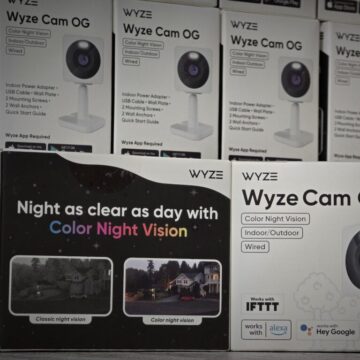
Wyze Cam OG
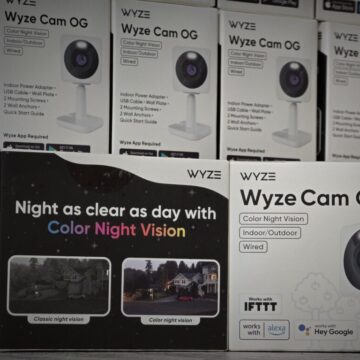
Wyze Cam OG
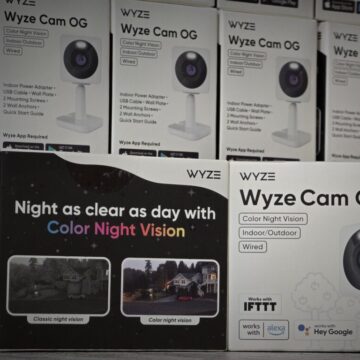
Wyze Cam OG
General Setup
-
Do I need Wi-Fi to use Wyze cameras?
Yes, Wyze cameras require a stable Wi-Fi connection (2.4 GHz; some newer models also support 5 GHz). -
What internet speed is required?
At least 2 Mbps upload speed per camera is recommended. -
Where should I place my camera?
High corners facing entry points or areas of concern. Avoid direct sunlight, reflective surfaces, or obstructions. -
How do I power the cameras?
Wyze cams use USB power adapters. Outdoor installs may need weatherproof outlets or extension options.
What’s Included With My Installation
-
What comes standard with your installation service?
Every installation includes:-
Professional camera mounting and alignment for the best coverage.
-
A 64GB Western Digital Purple MicroSD card in each camera — built for continuous recording with error correction for maximum reliability.
-
Initial configuration and setup in the Wyze app.
-
Wi-Fi signal check, with installation of extenders if required for full coverage.
-
Demonstration of camera features and a walkthrough of how to access live view, recordings, and notifications.
-
App & Account
-
Do I need the Wyze app?
Yes, setup and monitoring are managed through the free Wyze app. -
Can multiple people access the cameras?
Yes, you can share camera access with family or coworkers through the Wyze app. -
Do I need a subscription?
No, basic live streaming and event notifications are free. Wyze Cam Plus offers advanced features like longer recordings, AI detection, and fewer cool-downs.
Features & Functionality
-
Does it work at night?
Yes, Wyze cameras include infrared night vision. Some models support color night vision. -
Can I talk through the camera?
Yes, most Wyze models support two-way audio. -
Does it detect people or pets?
Yes, with Wyze AI (Cam Plus) you can enable person, pet, vehicle, or package detection. -
Can it work outdoors?
Only Wyze Outdoor Cam (or other weather-rated models) are designed for outdoor use. Indoor models require weatherproof housing if used outside.
Troubleshooting & Maintenance
-
What if the camera goes offline?
Check Wi-Fi, restart the router, or power cycle the camera. Placement near a strong Wi-Fi signal is important. -
How do I update firmware?
Updates are pushed via the Wyze app. You’ll see a notification when updates are available. -
How do I reset the camera?
Hold down the setup button until the status light turns yellow, then re-pair through the app.
Privacy & Security
-
Can Wyze employees see my footage?
No, videos are encrypted and only accessible through your account. -
Can I disable recording when I’m home?
Yes, you can set schedules, turn cameras off in the app, or use rules for automation.
Cam Plus Unlimited Subscription
-
Do you recommend a subscription plan?
Yes — I highly recommend the Cam Plus Unlimited plan. For one annual fee, you can add as many cameras as you like. This plan unlocks advanced features such as:-
Unlimited event recordings (no 12-second limits).
-
AI-powered detection for people, pets, vehicles, and packages.
-
Faster notifications and priority support.
-
Best overall value if you plan to use multiple cameras.
-
Local Recording with MicroSD Cards
-
Do I need a MicroSD card?
Not required, but highly recommended if you want 24/7 continuous recording or full-length motion events. Without one, you’ll only get short cloud-stored clips (12 seconds on the free plan). -
What size MicroSD card should I use?
64GB is the minimum recommended. Larger cards (128GB–256GB) can also be used if formatted to FAT32. -
How long can it record?
A 64GB card holds about 4–6 days of continuous HD recording, longer if set to record only on motion. Larger cards extend this time. -
Can I view recordings from the card remotely?
Yes, you can review stored footage from the Wyze app as long as the camera is online. -
What happens when the card is full?
The camera automatically overwrites the oldest recordings (loop recording). -
Do I still need Cam Plus if I use an SD card?
No — the SD card provides continuous local storage. However, Cam Plus (especially Cam Plus Unlimited) adds advanced features and cloud convenience. -
What type of MicroSD cards do you use for installs?
I install Western Digital Purple MicroSD cards, which are specifically designed for continuous video surveillance. These cards include error correction features and durability enhancements that ensure reliable, long-term recording — far more dependable than standard consumer cards.
Wi-Fi Strength & Extenders
- What if my Wi-Fi signal is weak where I want the camera installed?
Wyze cameras require a strong and stable Wi-Fi connection to work properly. If your signal is weak, I can install Wi-Fi extenders or recommend other solutions to ensure full coverage and reliable performance.